External Product Catalog
Integrate external product catalogs with epilot
If you do not have access to this integration in your organization, please contact our support team for assistance.
Configuration
To add a External Product Catalog component, you need to create a new App or update an existing App.
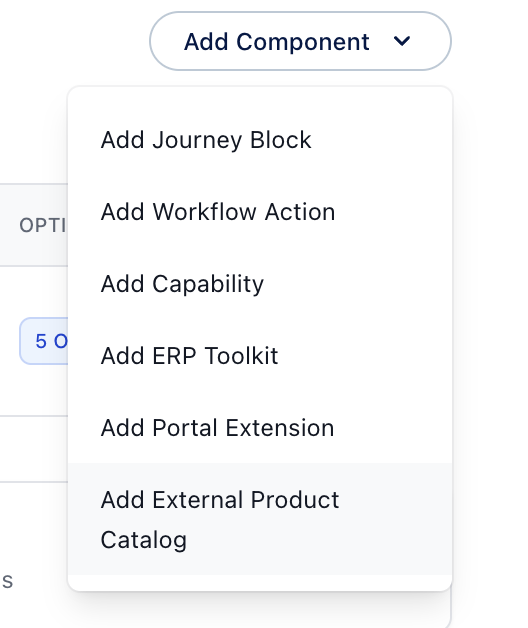
All development is performed using the built-in configuration editor accessible from the component editor.
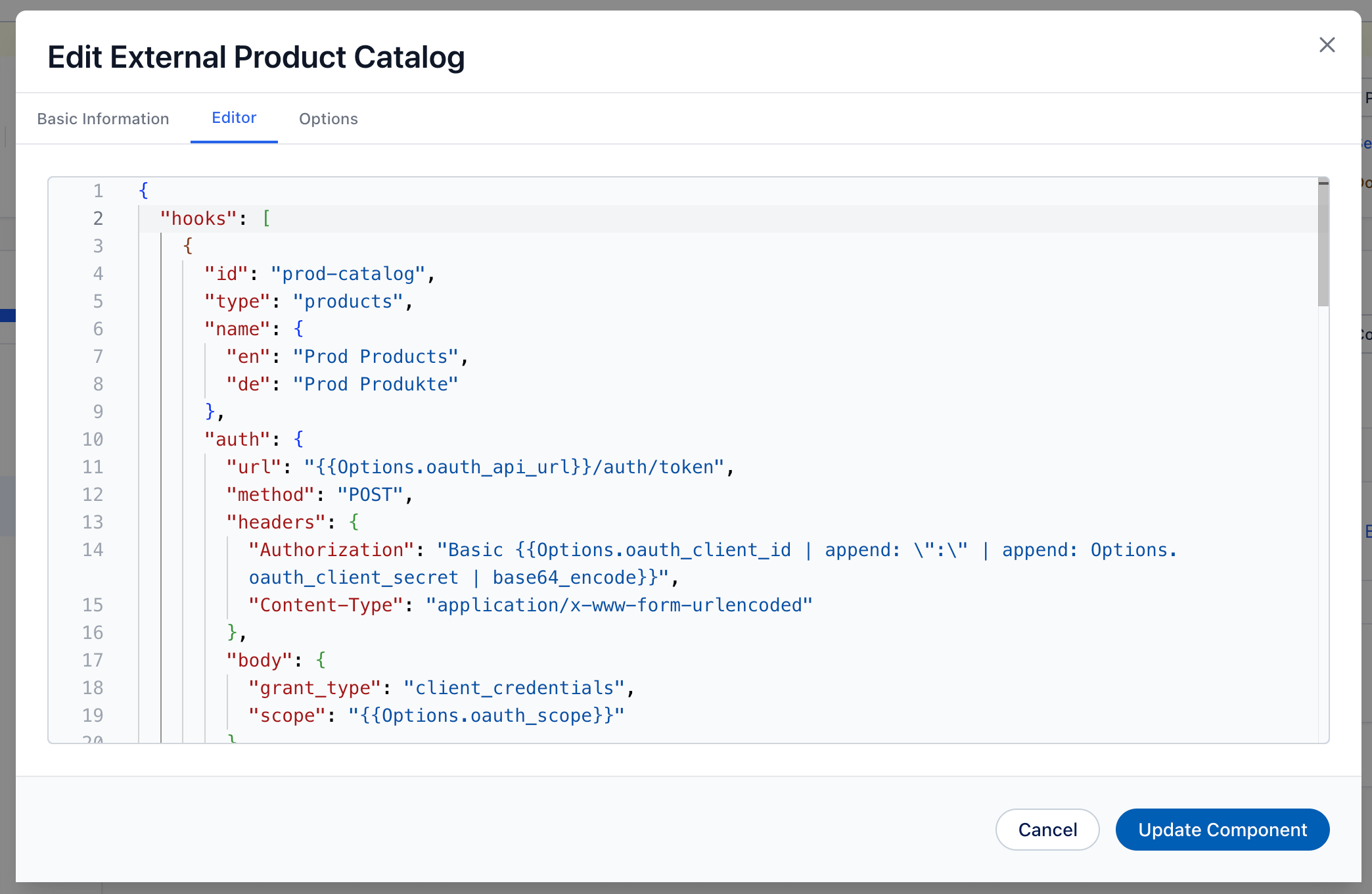
The editor provides you with autocomplete and validation of the configuration. That way you can start with the example provided in this documentation and fine-tune your external product catalog without ever leaving the editor.
Hooks
Hooks allow changing or adding functionality to external product catalogs. They typically rely on your API for the execution of any necessary logic and expect a certain response.
Supported Hooks / Catalog Types
The interface supports two types of data exchange, depending on the block being used in the journey:
- Products: Returns an array of products.
- Product Recommendations: Returns a source product and a list of offer products.
Template Variables
You can use template variables throughout your configuration to dynamically inject values from various sources. Template variables use the {{Variable.path}} syntax.
Available Variables
Options.*: Access values from the app options configured during installation- Example:
{{Options.api_url}},{{Options.api_key}}
- Example:
AuthResponse.*: Access data from the authentication response data- Example:
{{AuthResponse.access_token}} - Use this to extract tokens or other authentication data returned by your auth endpoint
- Example:
Context.*: Access properties from the current context (e.g. Journey Context)- Example:
{{Context.journey_id}},{{Context.journey_url.params.xxx}}
- Example:
Example
Below is an example of a configuration for the products hook, assuming a typical OAuth2 authentication flow, where the client credentials are stored in the app options.
{
  "hooks": [
    {
      "id": "prod-catalog",
      "type": "products",
      "name": {
        "en": "Prod Products",
        "de": "Prod Produkte"
      },
      "auth": {
        "url": "{{Options.oauth_api_url}}/auth/token",
        "method": "POST",
        "headers": {
          "Authorization": "Basic {{Options.oauth_client_id | append: \":\" | append: Options.oauth_client_secret | base64_encode}}",
          "Content-Type": "application/x-www-form-urlencoded"
        },
        "body": {
          "grant_type": "client_credentials",
          "scope": "{{Options.oauth_scope}}"
        }
      },
      "call": {
        "url": "{{Options.base_api_url}}/products",
        "method": "POST",
        "headers": {
          "Authorization": "Bearer {{AuthResponse.access_token}}"
        }
      }
    }
  ]
}
Security Considerations
- Credentials Storage: Store sensitive credentials (like API keys) as app options rather than hardcoding them
- Token Expiration: Ensure your authentication tokens have appropriate expiration times
- HTTPS: Always use HTTPS URLs for authentication endpoints and redirects
- Access Control: Implement proper authorization checks on your authentication endpoint to ensure only authorized clients can obtain tokens
Usage in Journeys
After your External Product Catalog component is configured and the app is installed, it can be used within epilot's Journeys. Currently we support seamless integration of the external product catalog into the journey via Product Blocks and Product Recommendations Blocks (beta).
When a journey creator adds a Product Block or Product Recommendations Block in a journey, they can select the integration as the source for products. Only hooks that are supported for the selected block type will be available (e.g. only products hook for Product Block, only productRecommendations hook for Product Recommendations Block).
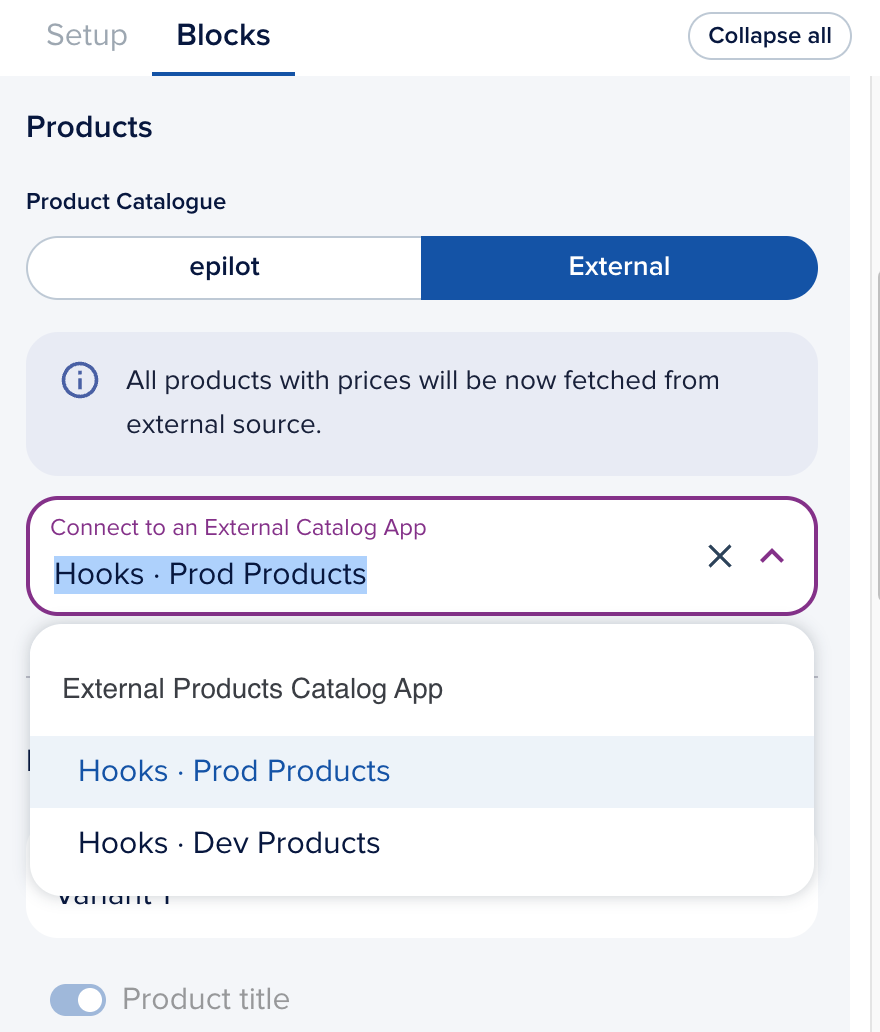
This allows the journey to dynamically fetch products and pricing from your external catalog in journeys.
Integration Interface
To ensure seamless communication between epilot and your external catalog, your integration must respect the External Catalog Integration Interface.
Specification
The integration works as a request to your service endpoint with the following request and response:
- Request: A payload containing the
contextof the journey or a custom one defined by you/epilot. - Response: A list of products or product recommendations in a specific format.
For detailed information on the request and response schemas, please refer to the External Catalog Integration Interface documentation.