Environments & Secrets
Environments & Secrets is an organization-level key-value store for configuration and credentials. Define a variable once, then reference it anywhere using {{ env.variable_key }} syntax. Values are resolved at runtime, so the same configuration works across sandbox and production without changes.
You can manage your environment variables in the epilot portal under Configuration > Environments.
Why use environment variables?
Without environment variables, credentials and URLs are stored directly inside webhooks, templates, and integrations. This causes problems:
- Duplication -- The same API key appears in dozens of webhooks. When you rotate it, you must update every one.
- Blueprint sync issues -- Blueprints copy configuration between sandbox and production. Hardcoded sandbox URLs end up in production, breaking integrations.
- Security risk -- Credentials scattered across configs are harder to audit and easier to leak.
Environment variables solve all three. Store your credentials and URLs as variables, reference them with {{ env.* }}, and each organization resolves them to its own values.
Variable types
| Type | Description | Readable? |
|---|---|---|
| String | Plain text value. Use for URLs, IDs, feature flags, and other non-sensitive config. | Yes -- value is visible in the UI and returned by the API. |
| SecretString | Encrypted value. Use for API keys, OAuth secrets, passwords, and tokens. | No -- value is write-only. Once saved, it cannot be read back through the UI or API. |
| JSON | A JSON object (up to 32 KB). Used for Key/Value Maps — lookup tables read in JSONata via $env.<key> with $mapValue / $mapKey. Not available in {{ env.* }} templates. | Yes -- value is visible in the UI and returned by the API. |
Naming your variables
Variable keys use dot-separated namespacing to keep things organized:
erp_api.base_url
erp_api.oauth_token_url
erp_api.oauth_secret
portal.domain
n8n.metering_webhook_url
Rules:
- Start with a lowercase letter or digit
- Use only lowercase letters, digits, dots (
.), underscores (_), and hyphens (-) - Maximum 128 characters
- Pattern:
^[a-z0-9][a-z0-9_.-]{0,127}$
tip
Use the dot prefix to group related variables. For example, prefix all ERP-related variables with erp_api. so they appear together in the UI.
Referencing variables
Use double curly braces with the env namespace to reference a variable:
{{ env.erp_api.base_url }}
Spaces around the key are optional -- {{ env.key }} and {{env.key}} both work.
Where you can use {{ env.* }}
Environment variables are supported in the following contexts:
| Context | Example use |
|---|---|
| Webhooks | URL, headers, authentication credentials (Basic Auth, API Key, OAuth) |
| Automation flows | Custom action payloads, external integration parameters |
| Email & document templates | Portal URLs, shared links, environment-specific content |
| Entity mapping | Transformation rules, target URLs |
| ERP integrations | Base URLs, OAuth endpoints, file proxy configuration |
| Customer portal | Hook execution, link resolution, template variables |
Resolution rules
- Variables are resolved server-side at runtime. The
{{ env.* }}placeholder is replaced with the actual value just before the action executes. - SecretString values are only resolved in trusted backend contexts (webhooks, integrations, automation actions). They are never sent to the browser or included in template previews.
- If a referenced variable does not exist, the placeholder remains unresolved and the action fails with an error.
Working with Blueprints
Environment variables are excluded from Blueprints by design:
- Export does not include environment variable values
- Import never overwrites environment variables in the target organization
This is the key difference from Custom Variables, which transfer with Blueprints. After a Blueprint sync, custom variables carry sandbox values into production. Environment variables avoid this -- each organization keeps its own values.
Example workflow:
- In your sandbox, create variables like
erp_api.base_url = https://sandbox.erp.example.com - Configure webhooks using
{{ env.erp_api.base_url }} - Export the configuration as a Blueprint and import it into production
- In production, create the same variable key:
erp_api.base_url = https://erp.example.com - The same webhook config now works in both environments -- no manual changes needed
Managing variables in the UI
Navigate to Configuration > Environments to manage your variables.
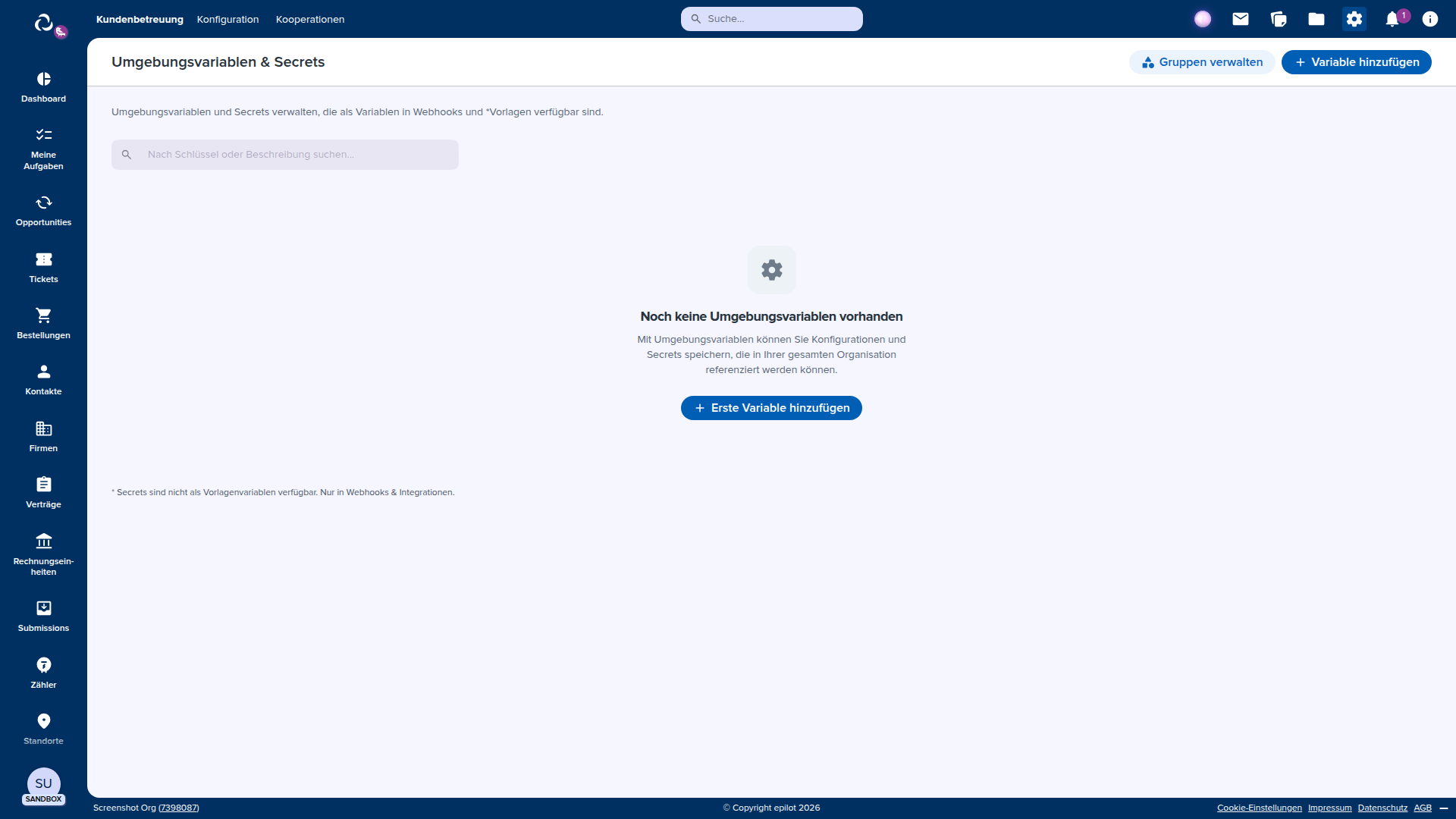
From this page you can:
- Create new variables with a key, type, value, and optional description
- Edit existing variable values and descriptions
- Delete variables you no longer need
- Search and filter by key name
- Copy the
{{ env.key }}syntax to paste into webhooks or templates
Variables are grouped by their namespace prefix (the part before the first dot) and displayed in collapsible sections.
caution
Deleting or renaming a variable breaks any configuration that references it. Check your webhooks, templates, and automations before removing a variable.
API reference
Base URL: https://environments.sls.epilot.io
| Operation | Method | Path | Description |
|---|---|---|---|
| List variables | GET | /v1/environments | Returns all variables (metadata only, secret values omitted) |
| Create variable | POST | /v1/environments | Create a new variable. Returns 409 if the key already exists |
| Get variable | GET | /v1/environments/{key} | Get a variable by key. Value included only for String type |
| Update variable | PUT | /v1/environments/{key} | Update a variable value. Creates the variable if it doesn't exist |
| Delete variable | DELETE | /v1/environments/{key} | Delete a variable by key |
Authentication
All requests require a Bearer token in the Authorization header:
Authorization: Bearer <your-epilot-access-token>
Permissions
| Permission | Required for |
|---|---|
environments:edit | List, create, get, and update variables |
environments:delete | Delete variables |
Examples
Create a String variable
curl -X POST https://environments.sls.epilot.io/v1/environments \
  -H "Authorization: Bearer $EPILOT_TOKEN" \
  -H "Content-Type: application/json" \
  -d '{
    "key": "erp_api.base_url",
    "type": "String",
    "value": "https://erp.example.com/api/v1",
    "description": "ERP API base URL"
  }'
Response:
{
  "key": "erp_api.base_url",
  "type": "String",
  "value": "https://erp.example.com/api/v1",
  "description": "ERP API base URL",
  "created_at": "2026-03-01T12:00:00Z",
  "updated_at": "2026-03-01T12:00:00Z"
}
Create a SecretString variable
curl -X POST https://environments.sls.epilot.io/v1/environments \
  -H "Authorization: Bearer $EPILOT_TOKEN" \
  -H "Content-Type: application/json" \
  -d '{
    "key": "erp_api.oauth_secret",
    "type": "SecretString",
    "value": "sk_live_abc123...",
    "description": "ERP OAuth client secret"
  }'
Response (note: value is omitted for secrets):
{
  "key": "erp_api.oauth_secret",
  "type": "SecretString",
  "description": "ERP OAuth client secret",
  "created_at": "2026-03-01T12:00:00Z",
  "updated_at": "2026-03-01T12:00:00Z"
}
Use variables in a webhook
Configure a webhook that uses environment variables for the URL and authentication:
{
  "url": "{{ env.erp_api.base_url }}/webhooks/orders",
  "authentication": {
    "type": "oauth2",
    "token_url": "{{ env.erp_api.oauth_token_url }}",
    "client_id": "{{ env.erp_api.oauth_app_id }}",
    "client_secret": "{{ env.erp_api.oauth_secret }}"
  },
  "headers": {
    "X-Custom-Header": "{{ env.erp_api.tenant_id }}"
  }
}
When the webhook fires, all {{ env.* }} references are replaced with the organization's actual values before the HTTP request is sent.
Use variables in an email template
Reference environment variables in email and document templates for environment-specific content:
<p>
  View your order in the
  <a href="https://{{ env.portal.domain }}/orders">customer portal</a>.
</p>
In sandbox, portal.domain might resolve to sandbox.mycompany.epilot.cloud. In production, it resolves to portal.mycompany.com.
Update a variable value
Rotating a credential is a single API call. Every webhook and integration that references the variable picks up the new value immediately:
curl -X PUT https://environments.sls.epilot.io/v1/environments/erp_api.oauth_secret \
  -H "Authorization: Bearer $EPILOT_TOKEN" \
  -H "Content-Type: application/json" \
  -d '{
    "value": "sk_live_new_rotated_key..."
  }'
Use the SDK
import { epilot } from '@epilot/sdk';

epilot.authorize(accessToken);

// List all variables
const { data } = await epilot.environments.listEnvironmentVariables();
console.log(data.items);

// Create a variable
await epilot.environments.createEnvironmentVariable(null, {
  key: 'my_app.api_url',
  type: 'String',
  value: 'https://api.example.com',
  description: 'My application API URL',
});
You can also use the tree-shakeable import:
import { environments, authorize } from '@epilot/sdk/environments';

authorize(accessToken);

const { data } = await environments.listEnvironmentVariables();
Security
- Encryption at rest -- All values (including String type) are encrypted using per-organization AWS KMS keys with envelope encryption.
- Write-only secrets -- SecretString values cannot be read back through the API or UI after creation. To change a secret, you overwrite it with a new value.
- Backend-only resolution -- Secrets are resolved only in trusted server-side contexts. They are never sent to the browser.
- No template preview -- Secrets are excluded from template variable previews and the Template Variables API.
- Log redaction -- Secret values are automatically redacted from all application logs.
Common patterns
Credential rotation
- Update the secret value via the API or UI
- All consumers pick up the new value immediately (within ~60 seconds due to caching)
- No need to edit individual webhooks or integrations
Multi-environment setup with Blueprints
- Design your integrations in sandbox using
{{ env.* }}references - Export as a Blueprint
- Import the Blueprint into each target organization
- In each organization, create the environment variables with org-specific values
- The same configuration works everywhere
Organizing variables by integration
Use dot-separated prefixes to group related variables:
# ERP integration
erp.base_url
erp.oauth_token_url
erp.oauth_client_id
erp.oauth_client_secret

# Customer portal
portal.domain
portal.support_email

# Metering
metering.webhook_url
metering.api_key