Template Variables
The Template Variables API handles variable discovery and substitution for email and document templates using Handlebars.
Template Variables API​
The API discovers available variables and executes substitution. When a template renders, the API fetches entity data and other context to resolve each variable.
Computed metadata fields​
Some entity fields store identifiers (slugs or UUIDs). The API expands these into human-readable values using the :<field> suffix.
Tags​
Access resolved tag names from the _tags slug array:
Purpose​
Access resolved purpose names from the _purpose UUID array:
If a purpose ID cannot be resolved, the raw ID is returned.
Variable Picker​
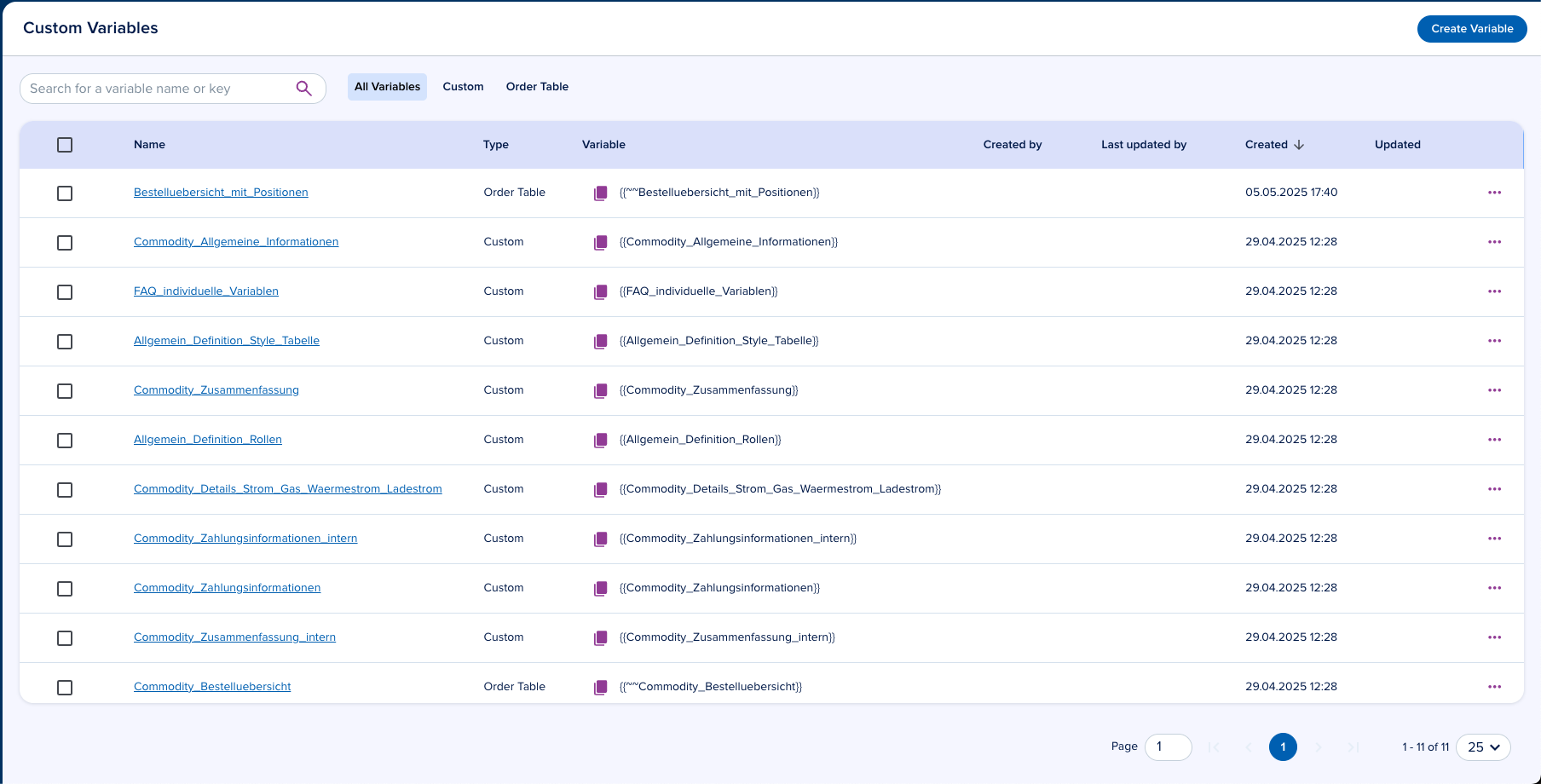
The variable picker UI lets users search and explore available variables.
Variable Builder​
Create custom variables in Configuration > Templates > Variable Builder (direct link).
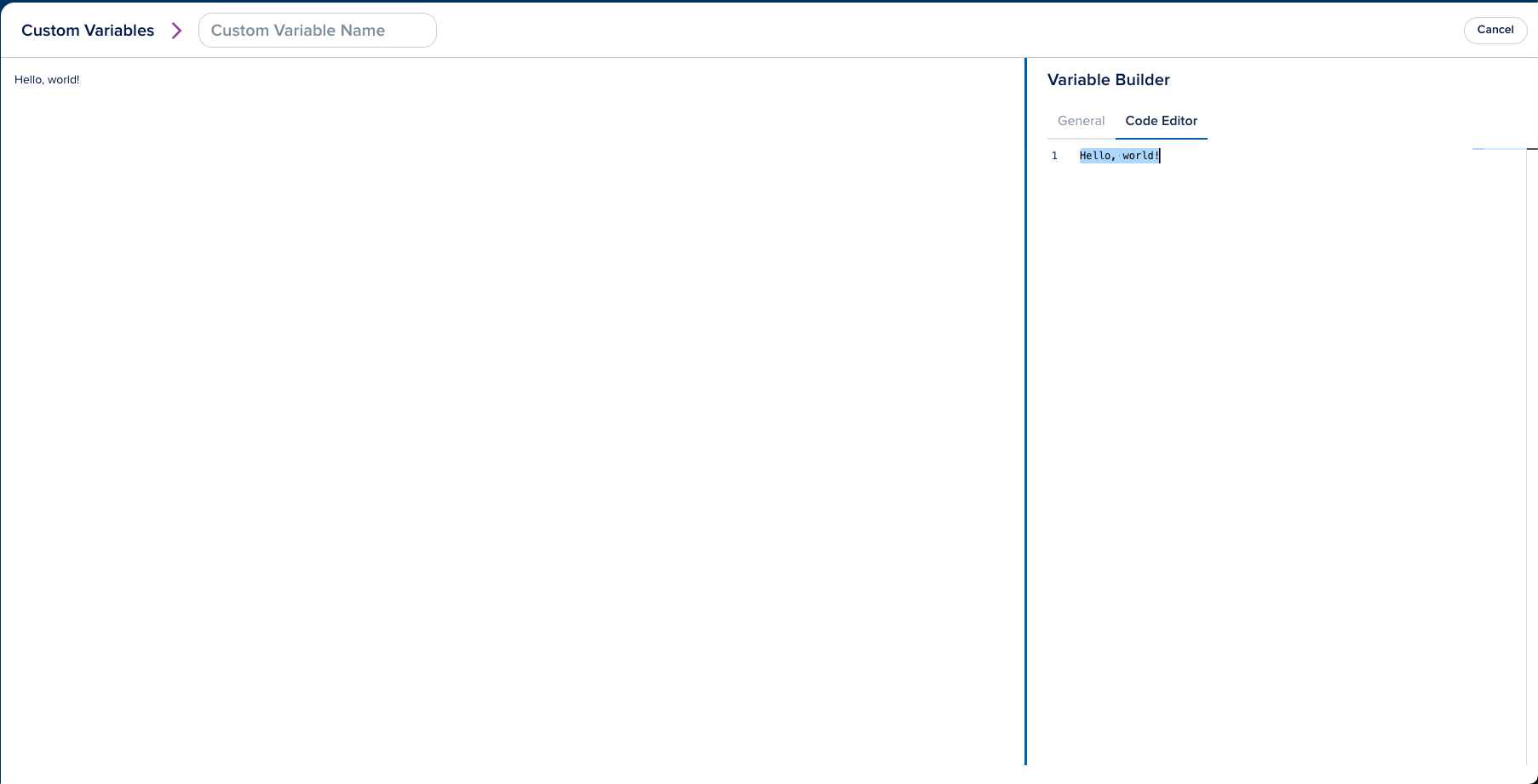
Custom Variables​

Custom variables combine free text with any Handlebars helper. Reference them in templates with:
tip
You can use Handlebars helpers directly in templates. Custom variables are useful for encapsulating reusable logic.
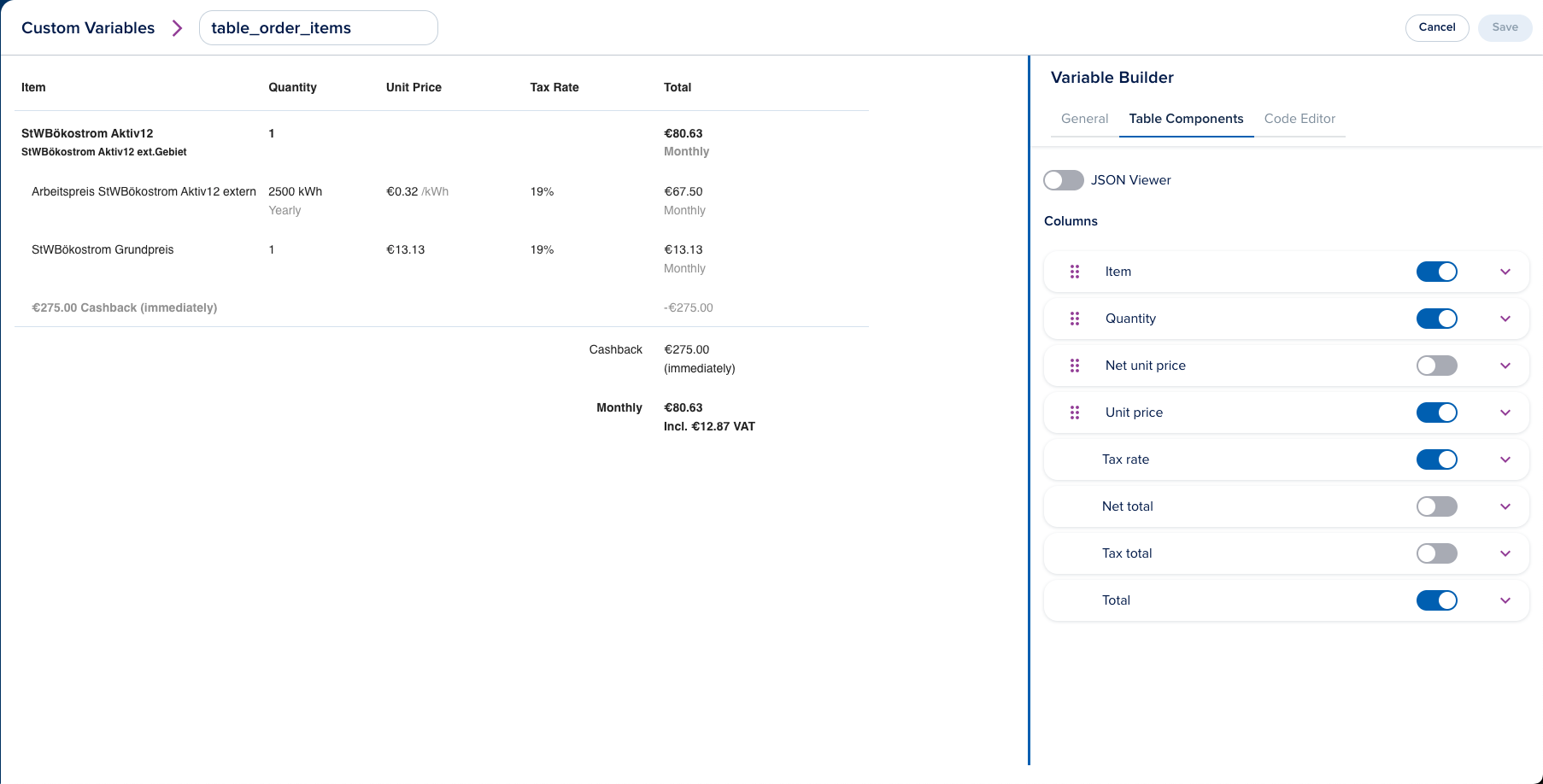
Order Table Variable​

Order tables display line items from an Order. They support Custom Variables and Handlebars Helpers.

Customize column order, styling, visibility, headers, and footers.

Reference an order table variable in templates with:
Custom Handlebars Helpers​
Standard Handlebars Helpers​
All helpers from the handlebars-helpers library are available: math, number, date, comparison, array, string, object, url, and more.
formatAddress​
Formats an address object into a single-line string. Returns empty string for invalid input.
calculateColspan​
Calculates the colspan for table cells based on the table configuration. Used with Order Table Variables.
calculatePeriodColspan​
Calculates the colspan for period-related table columns. Used with Order Table Variables.
calculateSummaryColspan​
Calculates the colspan for summary sections based on enabled columns. Used with Order Table Variables.
isColumnEnabled​
Returns true if the specified column ID is enabled in the table configuration. Used with Order Table Variables.
shouldDisplayDetails​
Returns true if the column's showDetails property is set. Used with Order Table Variables.
isSummaryVisible​
Returns true if at least one non-draggable column is enabled. Used with Order Table Variables.
isExternalFeesMetadataVisible​
Returns true if external_fees_metadata is enabled in the table footer. Used with Order Table Variables.
gt​
Compares two numbers and returns true if the first is greater than the second.
lt​
Compares two numbers and returns true if the first is less than the second.
eq​
Compares two numbers and returns true if they are equal.
blockHelperMissing​
Returns an empty string when a block helper is missing.
helperMissing​
Returns an empty string when a helper is not found.
makeStyle​
Converts a table configuration object into a CSS style string. Used with Order Table Variables.
<schema>.<property>​
Dynamically registered from schema attributes (e.g., main.email, contact.name). Retrieves a property value from context data, prioritizing items tagged as "primary" or the first array element. Address properties are automatically formatted as full addresses.
email​
Retrieves the email from context, prioritizing email then billing_email. Returns the first element if the value is an array.
billing_email​
Retrieves the billing email from context, prioritizing billing_email then email. Returns the first element if the value is an array.
phone​
Retrieves the phone number from context, prioritizing phone then billing_phone. Returns the first element if the value is an array.
billing_phone​
Retrieves the billing phone from context, prioritizing billing_phone then phone. Returns the first element if the value is an array.
address​
Formats an address from context, searching for addresses tagged billing or primary. Falls back to the first address.
billing_address​
Formats an address from context, searching for addresses tagged billing, shipping, or primary. Falls back to the first address.
shipping_address​
Formats an address from context, searching for addresses tagged shipping, billing, or primary. Falls back to the first address.
delivery_address​
Formats an address from context, searching for addresses tagged delivery or primary. Falls back to the first delivery address.
additional_address​
Formats an address from context, searching for addresses tagged primary.
withTag​
Retrieves a value from an array by tag (defaults to primary) and optional attribute.
yn​
Converts a boolean-like value to a localized "Yes" or "No" string. Accepts optional custom success/failure values.
xif​
Returns "x" if the input is truthy, otherwise an empty string.
customOrderTableVariable​
Renders an Order Table Variable.
formatDateTime​
Formats a date/time string with a specified pattern. Defaults to short date-time format.
formatDate​
Formats a date string with a specified pattern. Defaults to date-only format.
dateMath​
Performs date arithmetic (add/subtract days, months, etc.). Accepts inputDate, expression, inputFormat, and format parameters.
padStart​
Pads a string to a target length with a specified character (defaults to space).
generateJourneyLink​
Generates a signed journey link. Pass parameters as space-separated key-value pairs.
Required: journey_id
Optional:
custom_url-- custom domain for the URLexpires_in-- token expiration (ms format)nonce-- add a nonce to the payload (boolean)
Automatically includes initial_submission_id from context when available.
asCurrency​
Formats a number as a currency string using @epilot/pricing. Accepts currency (default: EUR), locale (default: de), and displayZeroAmount (default: false).
Excel-like Formulas​
Use the calc helper for Excel-like formulas in templates.
Available formulas​
Arithmetic operators​
+- Addition-- Subtraction*- Multiplication/- Division^- Exponentiation%- Modulus (remainder of division)()- Parentheses for grouping expressions-number- Negation (unary minus)
Formula functions​
ABS(number)- Returns the absolute value of a number.AND(condition1, condition2, ...)- Returnstrueif all conditions are truthy.AVERAGE(number1, number2, ...)- Returns the average of a set of numbers.CEIL(number)- Rounds a number up to the nearest integer.FLOOR(number)- Rounds a number down to the nearest integer.IF(condition, value_if_true, value_if_false)- Returns one value if condition is truthy and another value if it's falsey.MAX(number1, number2, ...)- Returns the largest number in a set of numbers.MIN(number1, number2, ...)- Returns the smallest number in a set of numbers.NOT(condition)- Reverses the value of its argument. Returnstrueif its argument is truthy andfalseif its argument is falsey.OR(condition1, condition2, ...)- Returnstrueif any condition is truthy.ROUND(number, [places])- Rounds a number to a specified number of decimal places. If places is omitted, it defaults to 0.SUM(number1, number2, ...)- Returns the sum of a set of numbers.RAND()- Returns a random number between 0 (inclusive) and 1 (exclusive).
Date functions​
All date functions work with ISO 8601 date strings (e.g., "2025-09-26" or "2025-09-26T12:00:00Z") and use UTC by default with optional timezone support.
Current time​
NOW([timezone])- Returns the current date and time in ISO format (e.g., "2025-09-26T12:00:00.000Z")TODAY([timezone])- Returns the current date in ISO format (e.g., "2025-09-26")
Date arithmetic​
DATEADD(date, value, unit, [timezone])- Adds/subtracts time from a date- Units: "years", "quarters", "months", "weeks", "days", "hours", "minutes", "seconds"
DATEDIFF(start_date, end_date, unit, [timezone])- Calculates difference between dates- Returns floor of the difference (e.g., 1.9 months = 1)
Date components​
YEAR(date, [timezone])- Extract year (e.g., 2025)MONTH(date, [timezone])- Extract month (1-12)DAY(date, [timezone])- Extract day of month (1-31)HOUR(date, [timezone])- Extract hour (0-23)MINUTE(date, [timezone])- Extract minute (0-59)SECOND(date, [timezone])- Extract second (0-59)WEEKDAY(date, [type], [timezone])- Get day of weektype=1: Sunday=1, Saturday=7 (Excel default)type=2or omitted: Monday=1, Sunday=7 (ISO)type=3: Monday=0, Sunday=6
Week calculations​
WEEKNUM(date, [type], [timezone])- Get ISO week number of the year